
 CONVERGE Horizon
View Job Metrics
CONVERGE Horizon displays a number of real-time performance metrics to help you monitor jobs while they are running. On the Jobs page, click on the name of a job to open the Job Details page. Here you can view the following metrics:
The Application Metrics section shows the total cell count as a function of simulation cycle number and the wall time as a function of simulation time. These plots are generated from the most recent data in cell_count_ranks.out and time.out.
The Node Metrics section shows recent data for CPU utilization, memory utilization, and disk IOPs.
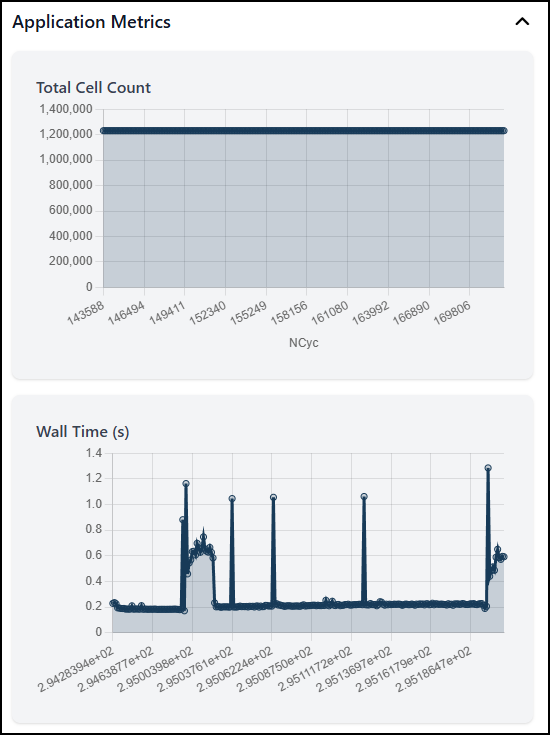
An example of application metrics for a running job.