
 CONVERGE Horizon
Select a Team
If you only belong to one team, your team will always be selected by default on the left, like the Support team in this example:

If you belong to multiple teams, you must select a team every time you log in:
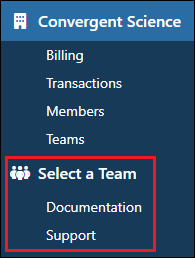
You cannot access projects, file systems, spaces, jobs, or workstations until a team is selected. You can switch teams at any time by clicking  .
.
Important
If you work with multiple teams, it is important to pay attention to which team is currently selected! Any projects, file systems, spaces, jobs, or workstations you create will belong to that team. Once these objects are created, they cannot be moved to another team.